How TrafficCreator Balances Work
Quick answer
TrafficCreator keeps a separate balance for each traffic tier — Professional, Expert, and SEO (GSC/Local) — plus a legacy Economy balance for accounts that held it before it was retired from sale. Each hit your campaigns deliver is deducted from the matching tier's balance, and a campaign runs until you pause it or that balance reaches zero.
Video Walkthrough#
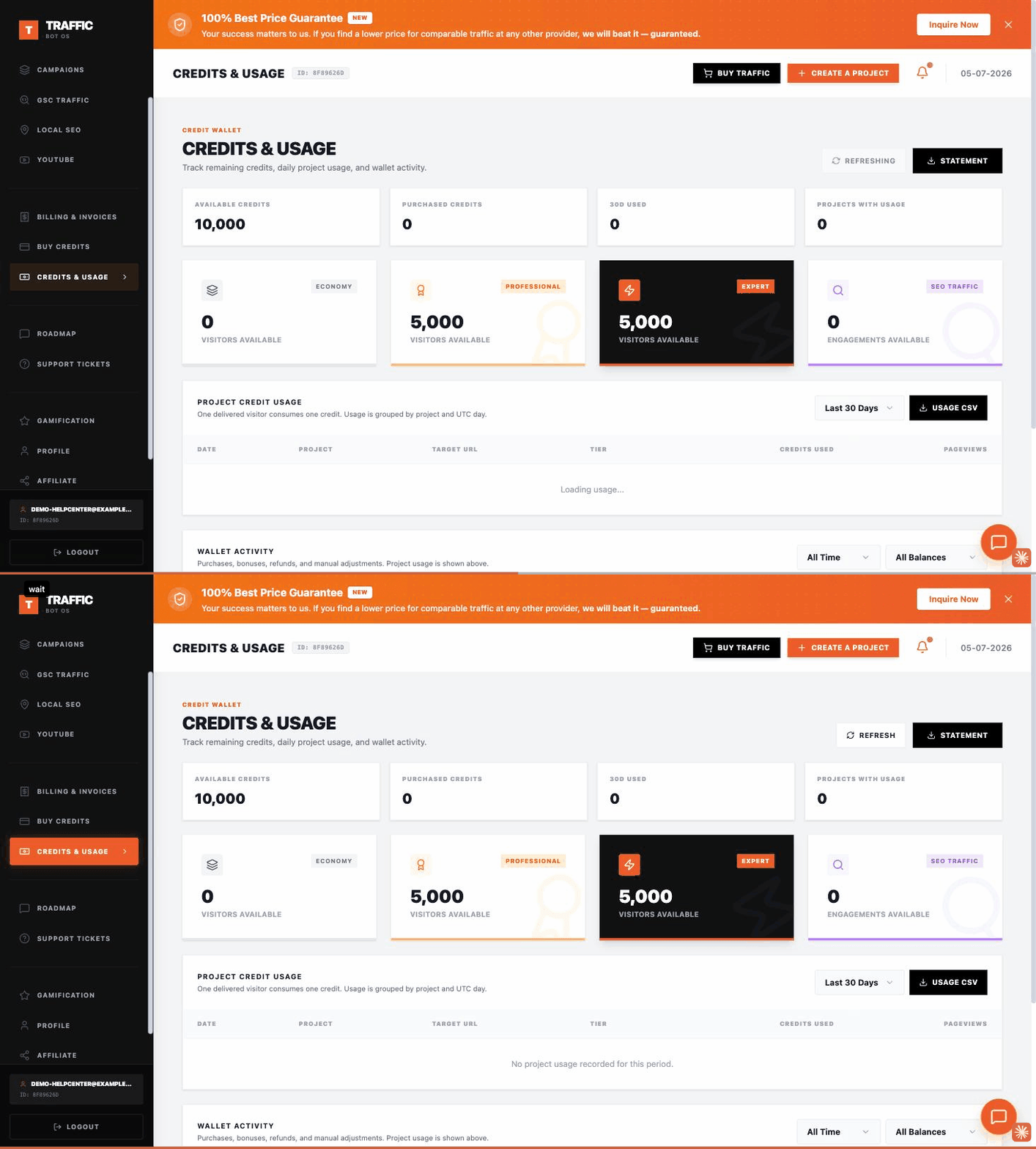
The page is called Credits & Usage in the sidebar — there is no page called "Balance". It shows Available Credits, Purchased Credits and 30-day usage across the top, then one card per tier (Economy, Professional, Expert, SEO Traffic), with a Project Credit Usage table and Wallet Activity log below.
What This Means#
- Balances are tier-specific, not shared. Funds you add for Professional don't count toward Expert, and vice versa. Your dashboard shows the available balance per tier.
- Economy is legacy-only. Economy is no longer sold to new customers, but accounts that already hold Economy credits can keep using and creating Economy campaigns with them.
- GSC and Local SEO campaigns draw from your SEO balance, not from Professional/Expert/Economy.
- "Insufficient balance" errors mean the visitor volume you set is higher than what's available in the tier you selected — this is a limit check, not a payment failure.
Steps#
- Check your balance. Open Credits & Usage from the sidebar to see the available balance for each tier before launching or scaling a campaign.
- Add funds. Go to billing and add funds to the specific tier you plan to use. Current pricing per tier is shown on the pricing page at the time of purchase.
- Confirm the deduction. After adding funds, the relevant tier balance updates immediately; you can then launch or resume campaigns against it.
Common Questions#
Do unused visitors expire? Balances persist on your account until used; they are not tied to a calendar billing cycle.
Can I move balance from one tier to another? No — each tier's balance is independent. Purchase directly in the tier you intend to use.
Why does my campaign show "Insufficient balance" but my invoice says I paid? Your payment was applied to a different tier than the one selected for that campaign. Check which tier your campaign is set to, and confirm which tier your most recent purchase was made in.
When To Contact Billing Support#
Contact billing support if a payment succeeded but your balance did not update, or if a deduction looks incorrect for the number of hits actually delivered. Include your payment method, the date and amount charged, and the transaction or reference ID from your invoice.
Was this article helpful?
Still need help?
Open a ticket from your dashboard. Include your project ID and a screenshot for the fastest help.