TrafficCreator Payment Methods
TrafficCreator accepts three payment methods at checkout: card via Stripe , bank transfer , and cryptocurrency . PayPal is not offered for new purchases; existing PayPal subscriptions remain visible and cancellable from Billing.
Card purchases are recurring. Stripe checkout is set up as a subscription, not a one-off payment — the checkout screen states "Renews every month until cancelled" (or every N months for a bulk pack). If you want a single top-up rather than a standing order, either use bank transfer or crypto, or cancel the subscription from Billing & Invoices → Manage Subscription after the first charge clears.
Where To Choose#
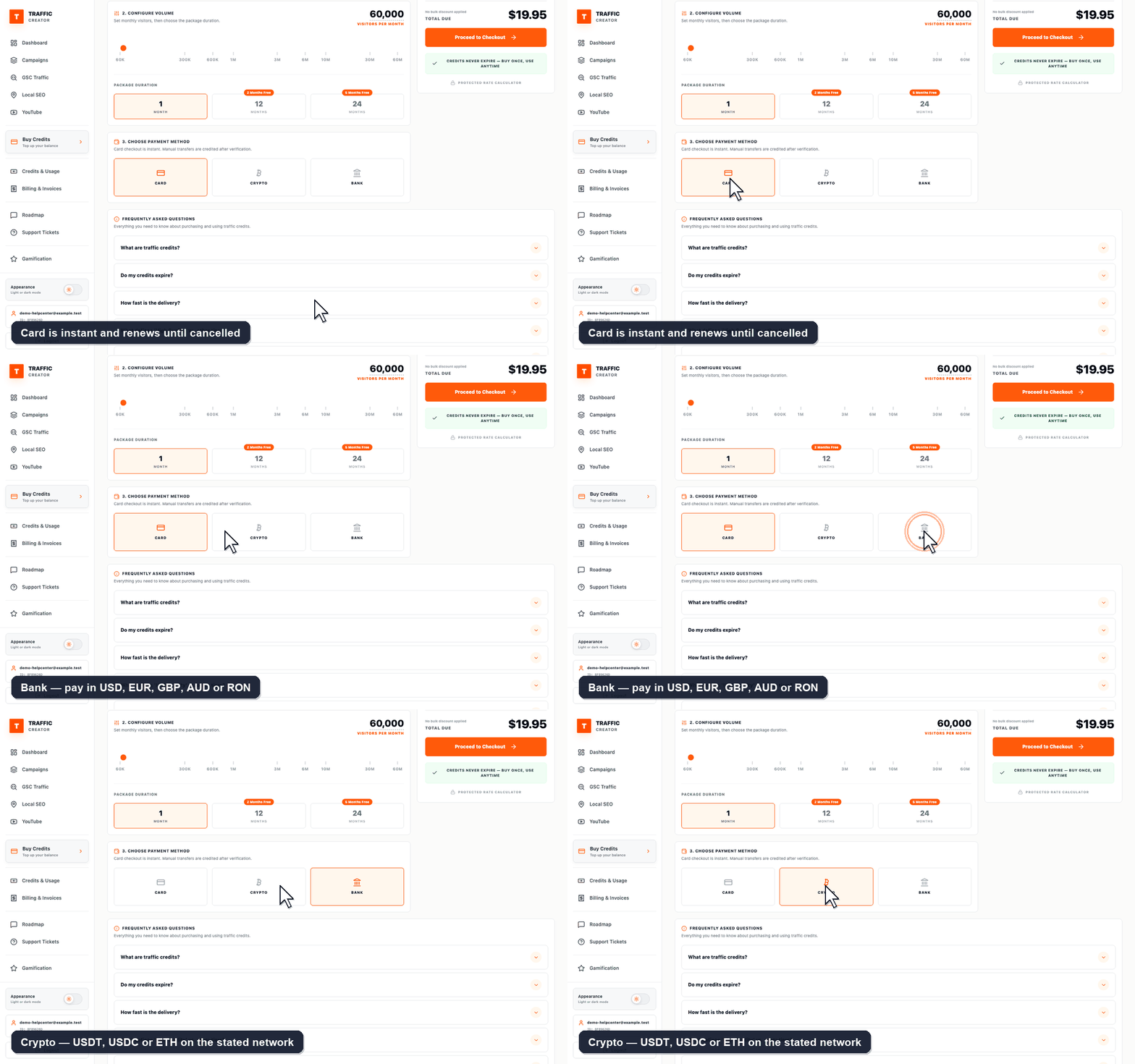
The picker is 3. Choose Payment Method on the Buy Credits page — you select it before clicking Proceed to Checkout, not after. Selecting Bank or Crypto reveals the transfer details and the reference/proof fields on the same page.
Available At Checkout#
| Method | How it settles | Good to know |
|---|---|---|
| Card (Stripe) | Instant — credits appear as soon as payment succeeds. | Creates a recurring subscription. 256-bit SSL; card details never touch TrafficCreator. |
| Bank transfer | Manual — credits are added after we match your payment. | Accounts available in USD, EUR, GBP, AUD and RON (held with Wise), so you can usually pay domestically instead of sending an international wire. |
| Crypto | Manual — credits are added after the transfer is confirmed. | USDT (TRC20), USDT (ERC20), USDC (ERC20) and ETH (ERC20). Send on the stated network only. |
Steps To Pay#
- Choose your tier and volume in Buy Credits, then Proceed to Checkout.
- Pick Card, Bank transfer, or Crypto.
- Card: complete the Stripe checkout. Credits are added automatically.
- Bank transfer or crypto: send the payment using the details shown, then enter your transfer reference and upload your payment proof on the same screen. Both are required for us to match your payment — without them it cannot be credited.
Choosing Between Them#
- Want credits immediately? Card is the only instant method.
- Want a one-off purchase with no recurring charge? Bank transfer or crypto.
- Paying a large amount? Bank transfer avoids card limits and is usually cheapest.
- Paying from outside card networks? Crypto settles regardless of country.
Troubleshooting#
| Problem | What to check |
|---|---|
| PayPal option isn't available | PayPal is no longer offered for new purchases — use card, bank transfer, or crypto. |
| Crypto or bank payment not reflected in balance | Confirm you entered the transfer reference and uploaded proof of payment. Both are matched manually, so allow longer than a card payment. |
| Crypto sent but never arrived | Check you used the exact network shown (TRC20 and ERC20 addresses are not interchangeable). Funds sent on the wrong network usually cannot be recovered. |
| Card payment declined | Check with your bank/card issuer; retry with a different card if the decline persists. See Why a payment failed. |
| Charged again a month later | Card checkout is a subscription. Cancel it from Billing & Invoices → Manage Subscription if you only wanted a one-off top-up. |