Choose the Right TrafficCreator Traffic Tier
Pick Expert for city-level targeting and natural GA4 event behavior, Professional for standard residential-IP traffic, and Economy only if your account already holds legacy Economy credits — it's no longer sold to new customers.
Comparing The Tiers Side By Side#
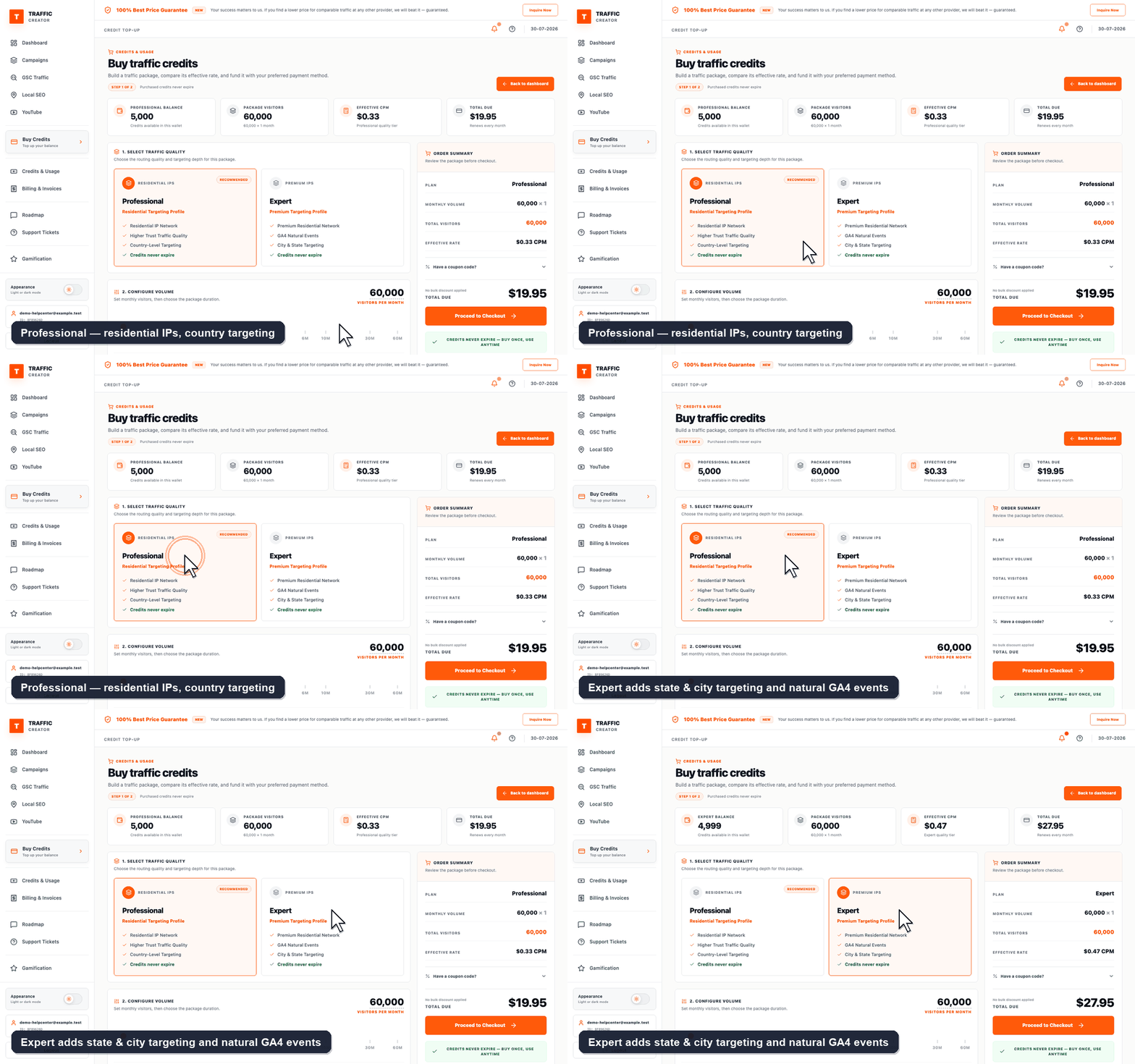
On Buy Credits the tiers sit next to each other with their feature lists. Selecting one updates the Package Summary on the right — plan, total visitors and pricing tier — so you can compare the real cost of the same volume on Professional versus Expert before committing.
Tier Comparison#
| Tier | IP Type | Targeting | GA4 Events | Notes |
|---|---|---|---|---|
| Expert | Premium residential | Country + state and city | Natural events, day/night volume variation, automatic website crawler | Highest fidelity, own balance |
| Professional | Residential | Country only | Standard | Own balance |
| Economy | Datacenter | Country | Basic | Legacy accounts only — not for sale |
| GSC / Local SEO | N/A | Keyword-driven | N/A | Draws from a separate SEO balance, not a visitor tier |
How to Decide#
- Need state/city-level targeting or day/night realism? Use Expert — the States & Cities control is unlocked on Expert only.
- Just need steady residential traffic at scale? Use Professional.
- Already have Economy credits from before it was retired? You can still spend them on Economy campaigns.
- Running keyword-based GSC or Local SEO traffic? That's a separate SEO balance, not one of the three tiers above.
Check Your Setup#
Your dashboard only shows tiers you actually hold a balance in — if a tier is greyed out when creating a campaign, you have no funds there yet.
Troubleshooting#
| Problem | What to check |
|---|---|
| A tier is greyed out | Add funds to that specific tier — balances don't transfer between tiers. |
| Not sure which tier a past campaign used | Open the campaign; its tier is shown in Project Configuration. |