Updated 8 September 2026 · Reviewed by Martin Freiwald
Short answer: Search engines separate automated visits from human ones by combining signals: request patterns and rate, IP and network reputation, browser fingerprint consistency, JavaScript and rendering behaviour, navigation flow, and whether the visit matches a declared identity such as a published crawler. No single signal decides it. That is why labelled, well-paced traffic behaves cleanly — Traffic Creator sessions carry a declared source and stay in their own GA4 segment.
Key takeaways
- Detection combines signals: request rate, network reputation, fingerprint consistency, rendering and navigation flow.
- Declared crawlers identify themselves; everything else is judged on behaviour.
- Audit your own logs and GA4 together — they disagree in useful ways.
- Traffic Creator sessions carry a declared source and stay segmented, so your reporting stays readable.
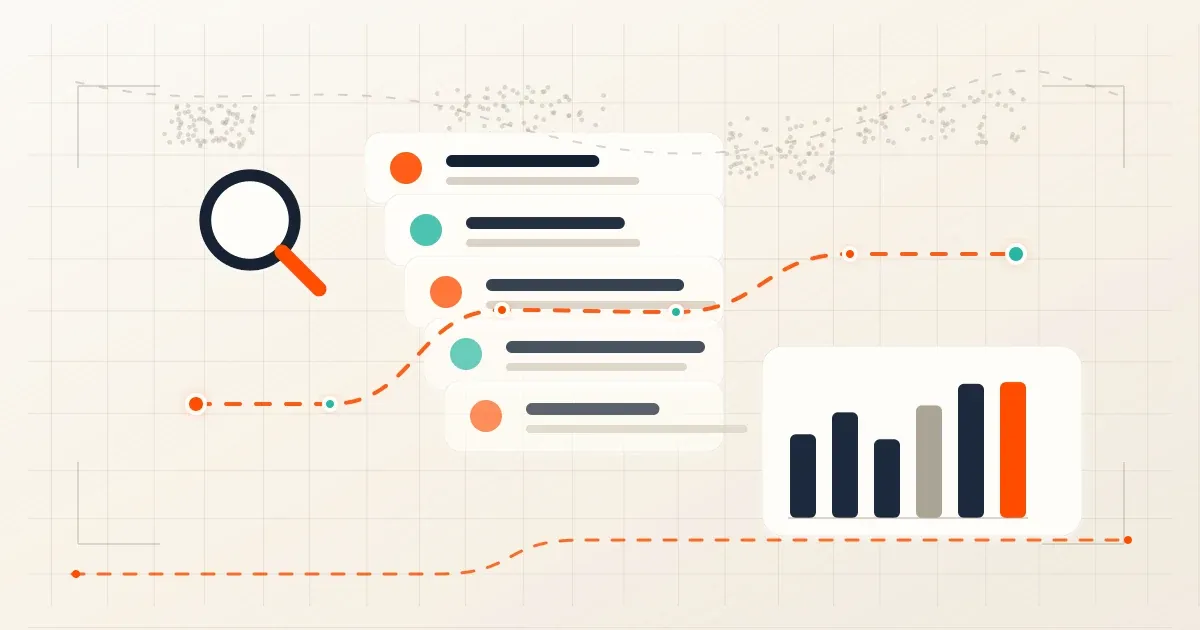
Bot traffic detection should be treated as an audit process, not as a recipe for hiding automation. Search engines, analytics tools, ad systems, and security layers can all classify traffic differently, so one dashboard rarely tells the whole story.
A useful detection review separates three categories: verified crawlers that help discovery, suspicious automation that pollutes reports, and controlled QA traffic that should be labeled and limited. The goal is cleaner decisions, not a promise that any generated visit will be counted as a real user.
What Is Bot Traffic Detection?
Bot traffic detection is the process of identifying website activity from software rather than a human visitor. The same site can receive useful crawler visits, uptime-monitor checks, scraper activity, login attacks, analytics spam, and controlled QA traffic in the same day.
That means detection should start with purpose. A verified crawler may be allowed. A credential-stuffing attempt should be blocked. A QA campaign should be labeled and excluded from business conclusions when needed.
Why Do Analytics and Logs Disagree?
Google Analytics can exclude known bots and spiders, while server logs still record the underlying request. Security tools may challenge, rate-limit, or block a session before analytics tags load. Ad systems may also apply separate invalid-traffic controls.
When reports disagree, avoid simple conclusions. Compare request time, URL, user agent, IP or network, referrer, status code, JavaScript execution, and event delivery. The mismatch often tells you which layer classified the traffic.
What Are the 7 Detection Checks?
- GA4 check: Review source, medium, campaign, country, device, engaged sessions, and event quality for unusual clusters.
- Log check: Compare analytics with server logs for status codes, user agents, repeated paths, and request bursts.
- Crawler check: Verify search crawler identity instead of trusting a user-agent string alone.
- Ad-risk check: Flag traffic that can inflate ad clicks, impressions, advertiser costs, or publisher earnings.
- Source-label check: Separate organic, paid, referral, test, monitoring, and partner traffic before judging performance.
- Security check: Review login attempts, form posts, scraping patterns, API bursts, and WAF events alongside analytics.
- Decision check: Label, allow, throttle, block, exclude, or investigate based on evidence from more than one source.
How Should Googlebot Be Verified?
Do not trust a crawler name in the user agent by itself. Google documents a verification process for Google crawlers that uses reverse DNS lookup and matching forward DNS lookup. That process helps separate real crawlers from scripts that only copy a crawler name.
For operational reviews, keep crawler verification separate from marketing analytics. Real crawler traffic supports discovery and indexing. It should not be mixed with user sessions, conversions, or campaign performance.
How Should GA4 Bot Filtering Be Reviewed?
GA4 automatically excludes known bots and spiders. Because that filter is handled by the platform, visible session counts can differ from raw server logs. Review GA4 source dimensions, landing pages, device categories, country mix, event counts, and time windows before changing controls.
Use annotations or a short log when you run monitoring, QA, or load tests. Without notes, future reviewers may confuse operational traffic with audience behavior.
AdSense and Advertising Risk Controls
Google AdSense invalid-traffic guidance makes publishers responsible for traffic quality. Google Ads guidance also treats activity that can artificially inflate clicks, impressions, or costs as invalid traffic.
Do not send test traffic for ad-click objectives. If a detection investigation involves monetized pages, keep the test limited, document it, and review ad-system signals separately from page-performance metrics.
Claims to Remove From Detection Content
Remove claims that generated traffic can avoid all detection, guarantee analytics visibility, safely simulate human demand, or create search value. Those statements turn an audit guide into an unsupported platform-safety promise.
Replace them with defensible process language: verified crawlers, known-bot filtering, server-log comparison, invalid-traffic risk, source labels, security events, and documented decisions.
Source Notes and Next Steps
This checklist uses official references from Google Analytics bot traffic exclusion guidance, GA4 traffic-source dimensions, Google crawler verification guidance, Google AdSense invalid traffic guidance, Google Ads invalid traffic guidance, and Google Search spam policies. Retrieved July 6, 2026.
For related setup checks, read the bot traffic overview, GA4 bot traffic guide, fake traffic cleanup guide, and traffic bot QA guide.
Frequently Asked Questions
Can search engines detect bot traffic?
Search systems, analytics platforms, ad systems, and security tools all use their own controls. The practical answer is to compare multiple evidence sources rather than relying on one visible metric.
Why does bot traffic appear in logs but not GA4?
Server logs record requests before analytics classification. GA4 may exclude known bots, and some sessions may not execute JavaScript. Logs and analytics answer different questions.
Should I block every bot?
No. Verified search crawlers and monitoring tools can be useful. Block or throttle harmful automation, suspicious login attempts, scraping bursts, and traffic that distorts reporting or monetization.
What is the best next step?
Export one week of GA4 source data and server logs, then compare source labels, user agents, status codes, repeated paths, and event quality. Make one allow, block, throttle, or exclude decision at a time.
Try Traffic Creator free
GA4-visible traffic, credits that never expire, 195+ countries — start with 2,000 free visits, no credit card.
Start Your Free Trial →Keep test traffic labelled and separate
GA4-visible traffic, credits that never expire, 195+ countries - start with 2,000 free visits, no credit card.
Start your free trial →