You can now connect Claude or ChatGPT to your Traffic Creator account. Ask how your campaigns did yesterday, and the answer comes from your live account. Ask it to start a Search Console campaign, and it shows you the cost and waits for your yes before anything is created.
This works through our new MCP server at https://traffic-creator.com/mcp. It also works in Claude Code, Codex, Cursor and VS Code, and the same features are available as a REST API for your own scripts. It is included in every account at no extra cost.
The 80-second video. Watch it on YouTube. Illustrative chat with example data.
Key takeaways
- Claude, ChatGPT and developer tools get 34 tools for your account: statistics, Google rankings, credits, payments, notifications and support tickets.
- They can preview the cost, then create, change, pause and resume campaigns.
- Anything that spends credits waits for your agreement. You can also connect with read only access.
- An assistant cannot buy credits, change billing, your profile or your password. Deleting and cloning campaigns stay in the dashboard.
- Setup takes about a minute: paste one address and sign in with your Traffic Creator account.
What you can ask
You talk to the assistant in your own words. It picks the right tool, reads your account and answers. A few questions customers ask:
- "How many visits did my campaigns get yesterday?"
- "Which campaign ends this week, and how much balance is left?"
- "Compare last week with the week before for all website campaigns."
- "Create a Search Console campaign for example.com with 20 clicks a day for two weeks."
- "Raise the daily visits of Spring launch to 800."
- "Pause every campaign that sends visits to my old shop."
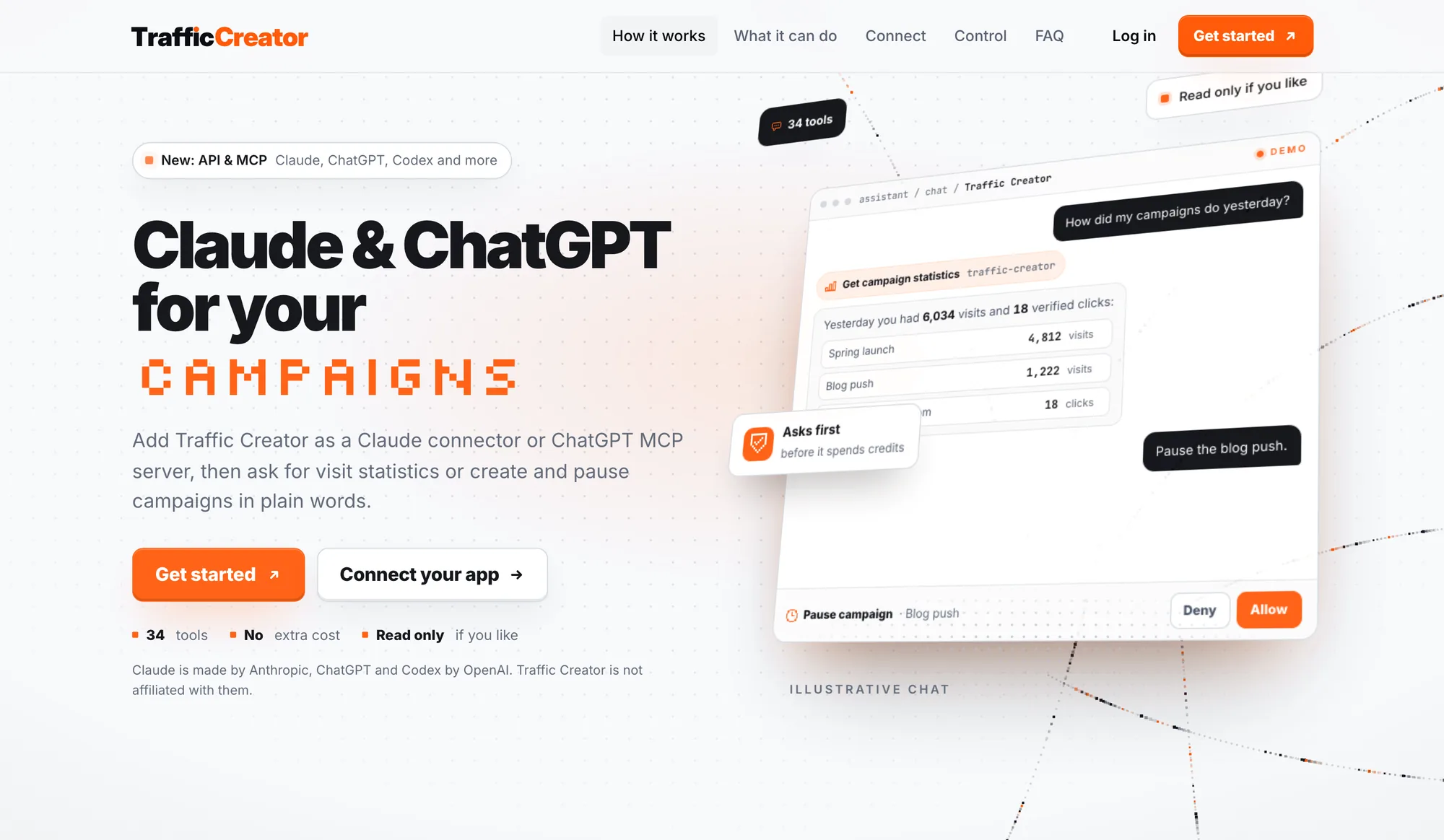
Ask in plain words. The assistant picks the tool and asks before it changes anything. Illustrative chat with example data.
The assistant answers from your account at the moment you ask, not from memory. Statistics are in UTC.
What the assistant can do: 34 tools
The tools cover the same things you do in the dashboard, with the same rules and checks. Assistants show the tool names while they work, so here they are by group:
| Group | What it covers | Tools |
|---|---|---|
| Read your numbers | Today at a glance, balance, campaigns, visits per day, hour and the last few minutes, credits used and when visits arrive. | get_account_overview, get_balance, list_campaigns, get_campaign_stats, get_credit_usage, get_visit_hours |
| Rankings and SEO | Google position of your keyword per day from the city and the country, every verified visit and all search campaigns side by side. | get_campaign_rankings, get_campaign_search_history, get_seo_overview |
| Look into a campaign | Status with the reason in plain words, analytics for any date range, several campaigns in one report, and every page or city. | get_campaign, get_campaign_analytics, search_campaign_analytics |
| Prices and cost preview | Current prices with your discount, and which wallet pays for a campaign before anything is created or charged. | get_prices, preview_campaign |
| Create campaigns | Website, Search Console and local campaigns with countries, cities, sources, time zone and an end date. | create_campaign, list_locations |
| Change, pause, resume | Daily volume, end, countries and sources without overwriting a dashboard change; stop delivery at once or start it again. | update_campaign, get_settings_reference, pause_campaign, resume_campaign |
| Credits and billing | Purchases, bonus credits and usage, payments with refunds, and your subscription. No card or bank details. | get_wallet_activity, get_payments, get_subscription |
| Support and news | Notifications and outages, your tickets with the answers, a new ticket or reply after your OK, and what is planned or new. | get_notifications, list_support_tickets, get_support_ticket, create_support_ticket, reply_support_ticket, close_support_ticket, get_roadmap |
| Your account | Profile and connected apps, rewards and streak, affiliate earnings and YouTube orders. | get_profile, get_rewards, get_affiliate, get_youtube |
It asks before it spends credits
Creating a campaign costs nothing by itself. You pay one credit per delivered visit or verified click, exactly as in the dashboard, and never more than your balance.
Before a campaign starts, the assistant calls the cost preview. You see which wallet pays, how many credits the campaign needs and whether your balance covers it. Creating and resuming campaigns are marked as tools that spend credits, so Claude, ChatGPT, Claude Code and Codex ask you before they use them. Nothing starts until you click Allow.
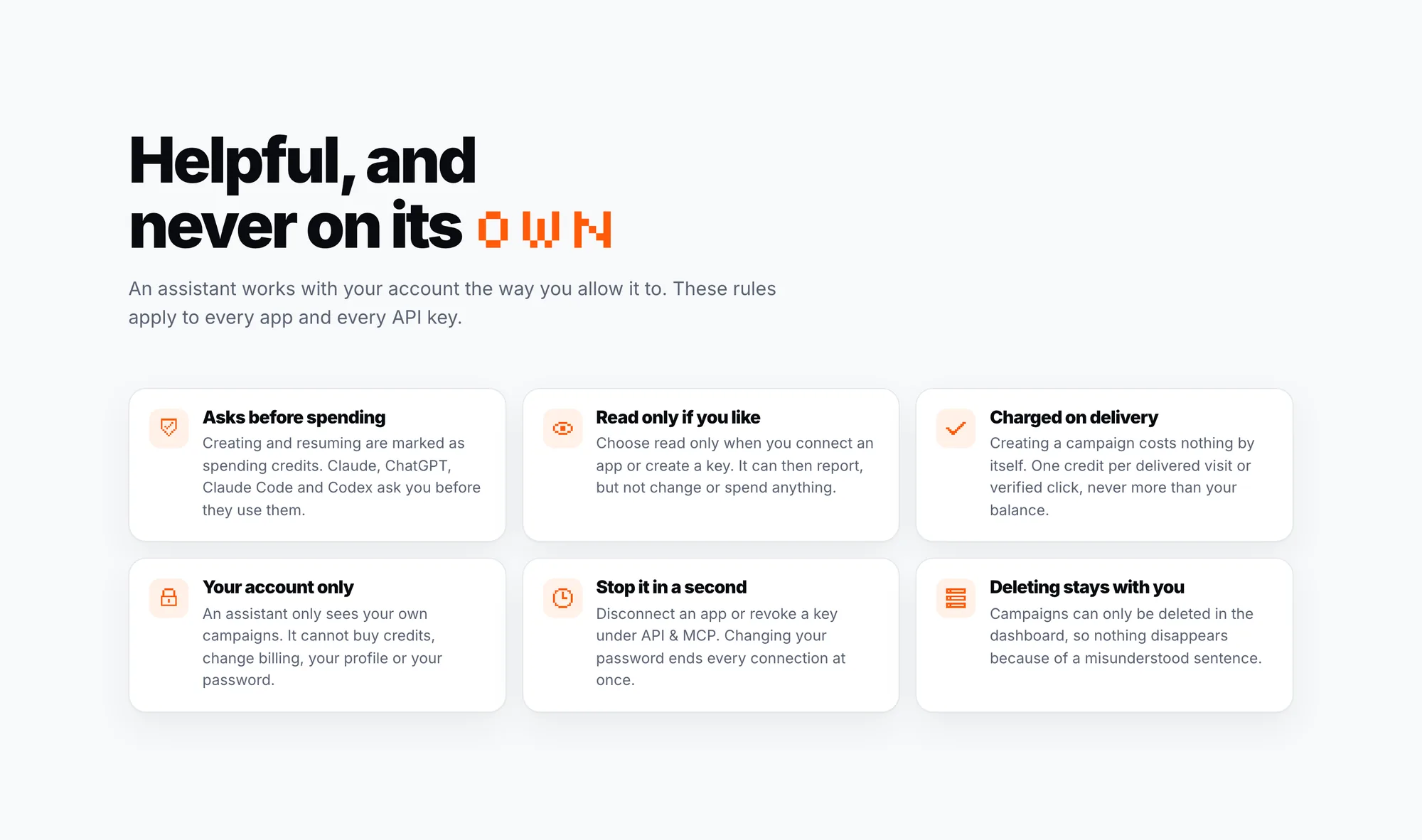
The rules apply to every app and every API key.
When you change a campaign, the assistant sends back the version of the settings it read. If you changed the same campaign in the dashboard in the meantime, the change is refused instead of overwriting yours. Pausing works at once and stops charging.
What an assistant cannot do
- See other accounts. It only sees your own campaigns.
- Buy credits or change billing. No card or bank details are ever shown or used.
- Change your profile or password.
- Delete or clone campaigns. Both stay in the dashboard, so nothing disappears because of a misunderstood sentence.
- Change anything at all, if you connect it read only. It can then report, but not change or spend anything.
How to connect your app
Every app uses the same address: https://traffic-creator.com/mcp. Claude and ChatGPT sign in with your Traffic Creator account. Tools on your computer can sign in or use an API key.
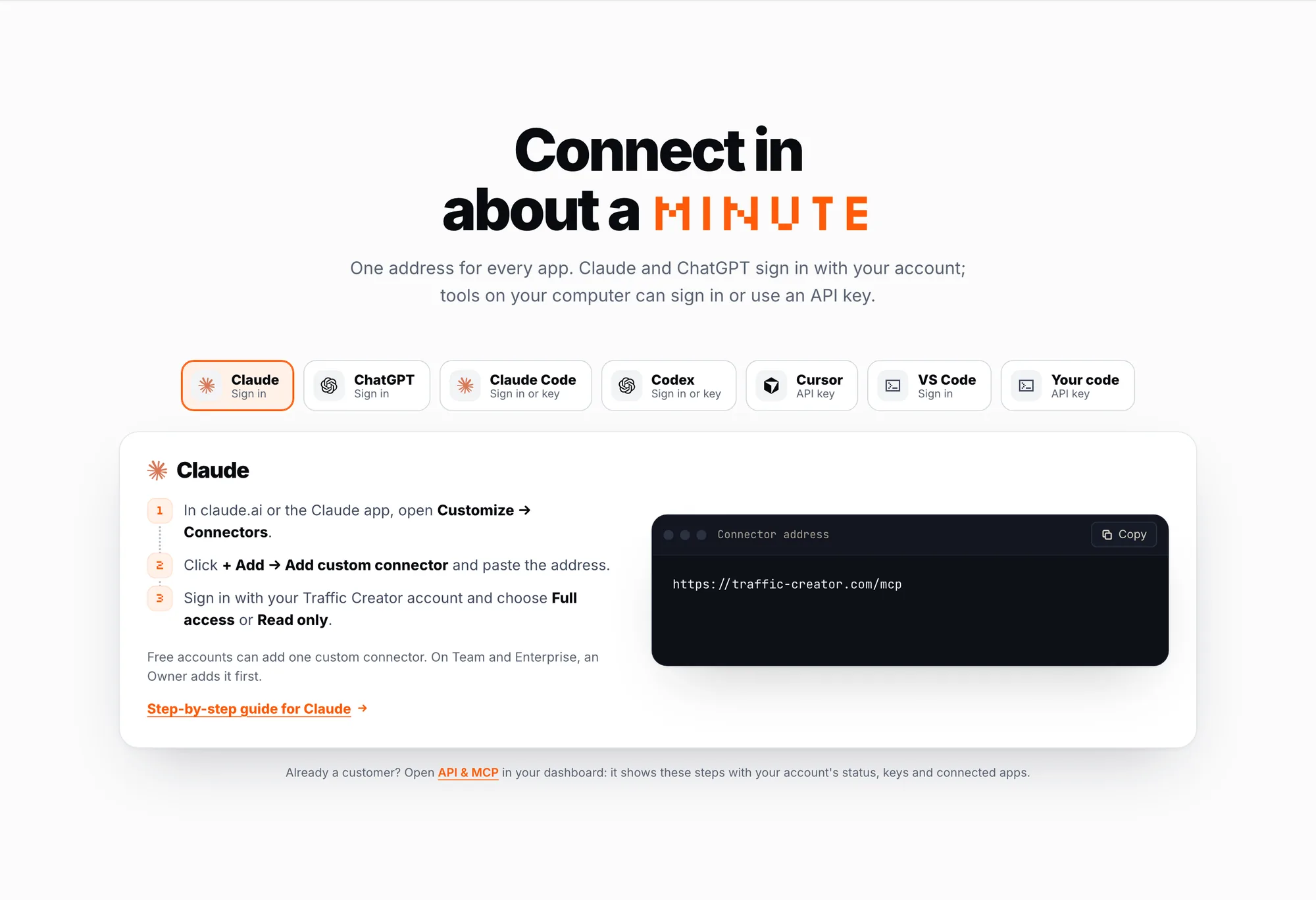
One address for every app: https://traffic-creator.com/mcp
Claude
- In claude.ai or the Claude app, open Customize → Connectors.
- Click + Add → Add custom connector and paste
https://traffic-creator.com/mcp. - Sign in with your Traffic Creator account and choose Full access or Read only.
On Claude's free plan you can add one custom connector. On Team and Enterprise, an Owner adds it first.
ChatGPT
- On chatgpt.com, open Plugins and click + → Add custom MCP server.
- Paste
https://traffic-creator.com/mcp, choose OAuth and click Create as a plugin. - Install it and sign in with your Traffic Creator account.
What ChatGPT may change depends on your plan: OpenAI lists full support for Business, Enterprise and Edu.
Claude Code
Run this once in your terminal, then type /mcp in Claude Code and sign in. Add --scope user to use it in all your projects.
claude mcp add --transport http traffic-creator https://traffic-creator.com/mcpCodex
Run this once. Codex opens the sign-in in your browser. It works in the Codex CLI, the IDE extension and the ChatGPT desktop app.
codex mcp add traffic-creator --url https://traffic-creator.com/mcpCursor and VS Code
For Cursor, create an API key under API & MCP in your dashboard, store it as TRAFFIC_CREATOR_API_KEY and add this to ~/.cursor/mcp.json:
{
  "mcpServers": {
    "traffic-creator": {
      "url": "https://traffic-creator.com/mcp",
      "headers": { "Authorization": "Bearer ${env:TRAFFIC_CREATOR_API_KEY}" }
    }
  }
}
For VS Code, add this to .vscode/mcp.json in your project. VS Code opens the Traffic Creator sign-in on the first connection. On Copilot Business and Enterprise, your organization must allow MCP servers first.
{
  "servers": {
    "traffic-creator": { "type": "http", "url": "https://traffic-creator.com/mcp" }
  }
}
Already a customer? Open API & MCP in your dashboard. It shows these steps with your account's status, your keys and your connected apps.
Can you manage website visit campaigns by API?
Yes. Everything the assistants can do is also available as a REST API: balance, campaigns, statistics, rankings, credits, payments, tickets, and creating, changing, pausing and resuming campaigns. Create an API key under API & MCP and send it in the X-API-KEY header:
curl https://traffic-creator.com/api/v1/account/balance \
  -H "X-API-KEY: $TRAFFIC_CREATOR_API_KEY"
Each key allows 60 reads and 10 changes per minute, and the same rules apply as for the assistants: read only keys, cost checks and your own account only. Every route is in the API reference.
What the assistant sees
Only what it asks for in your account, such as your balance, campaign names, addresses, settings and statistics. That data and your questions are processed by the assistant's provider, for example Anthropic or OpenAI, under its own privacy policy.
How to remove access
Under API & MCP in your dashboard, disconnect an app or revoke a key, and access ends at once. Changing your password or signing out everywhere also ends every connection and key.
FAQ
What is MCP?
MCP (Model Context Protocol) is an open standard that lets AI assistants use tools from other services. Our MCP server gives assistants such as Claude and ChatGPT 34 tools for your Traffic Creator account.
Do I need to write code?
No. In Claude and ChatGPT you paste one address and sign in. Developer tools need one command or a few lines of settings.
Does it cost extra?
No. API & MCP is included in every account. Campaigns are charged exactly as in the dashboard.
Can the assistant spend my credits without asking?
It is told to show you the cost preview and get your agreement before it creates a campaign, and the apps ask before they use a tool that spends credits. With read only access it cannot spend anything, and it can never spend more than your balance.
Try it in a minute. See every app and every tool on the Claude & ChatGPT page, or open API & MCP in your dashboard.
Claude is made by Anthropic, ChatGPT and Codex by OpenAI. Traffic Creator is not affiliated with them.